
If you want to invite a new member to your company, you can visit the following explanatory article:
When inviting new members to your company, they will have access to all the records created in it. If you want to invite collaborators/third parties to a specific record, without them having access to all the other operations created by the company, you can follow the next steps, where, we show how to invite users to a specific record allowing them to work exclusively in the sections to which they have been given access.
This function is available in different tabs of the record such as buyer, seller, freight forwarder, etc.
The following image shows an example of how to invite collaborators from the buyer section. At the bottom of this section there is a drop-down menu to invite the different collaborators for whom this section is of interest.
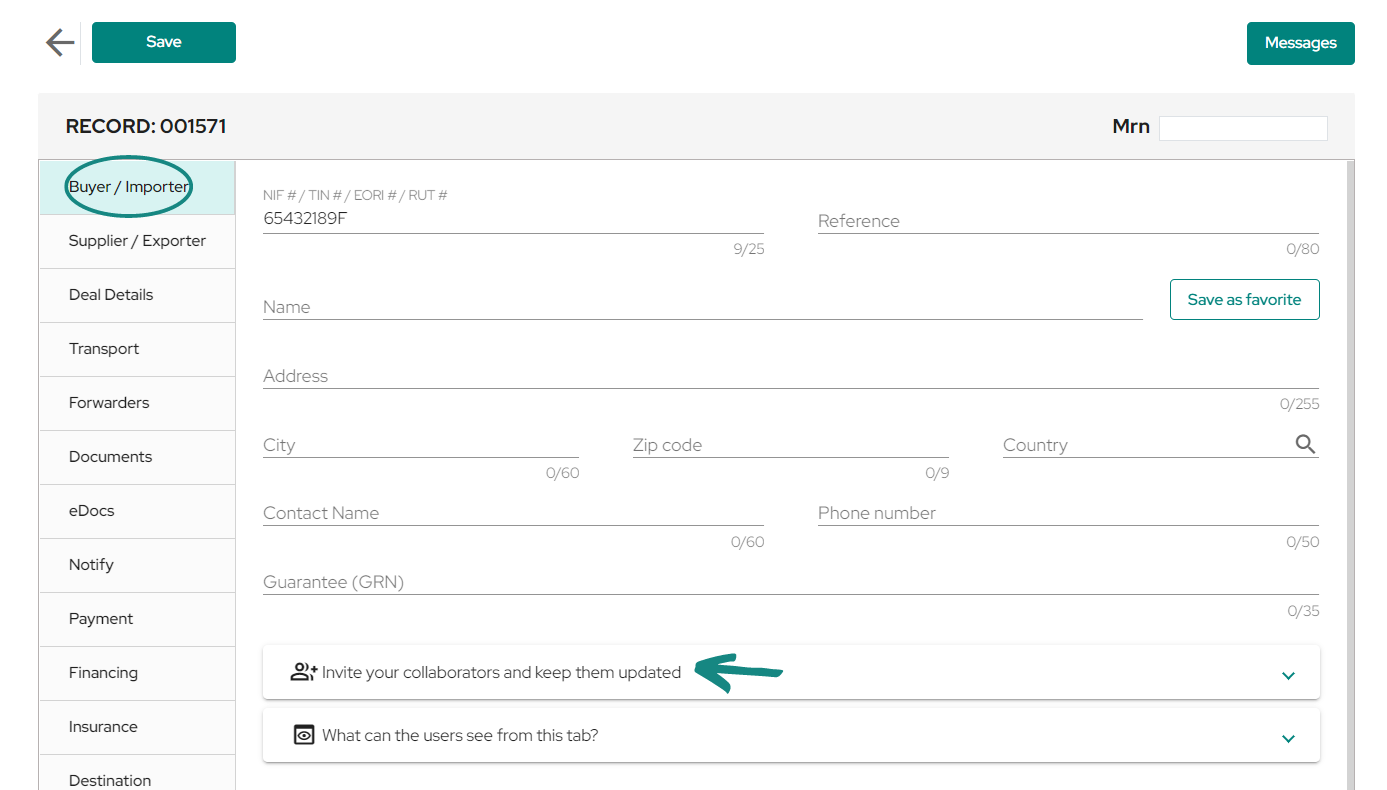
If you click on the «Invite your collaborators and keep them updated» drop-down box, a field will open where you can enter the email address of the collaborators who need to view or modify this data. Once the email has been entered and the record has been saved, the guest will receive a link through which he/she can access this information and start working on the record without having to register.
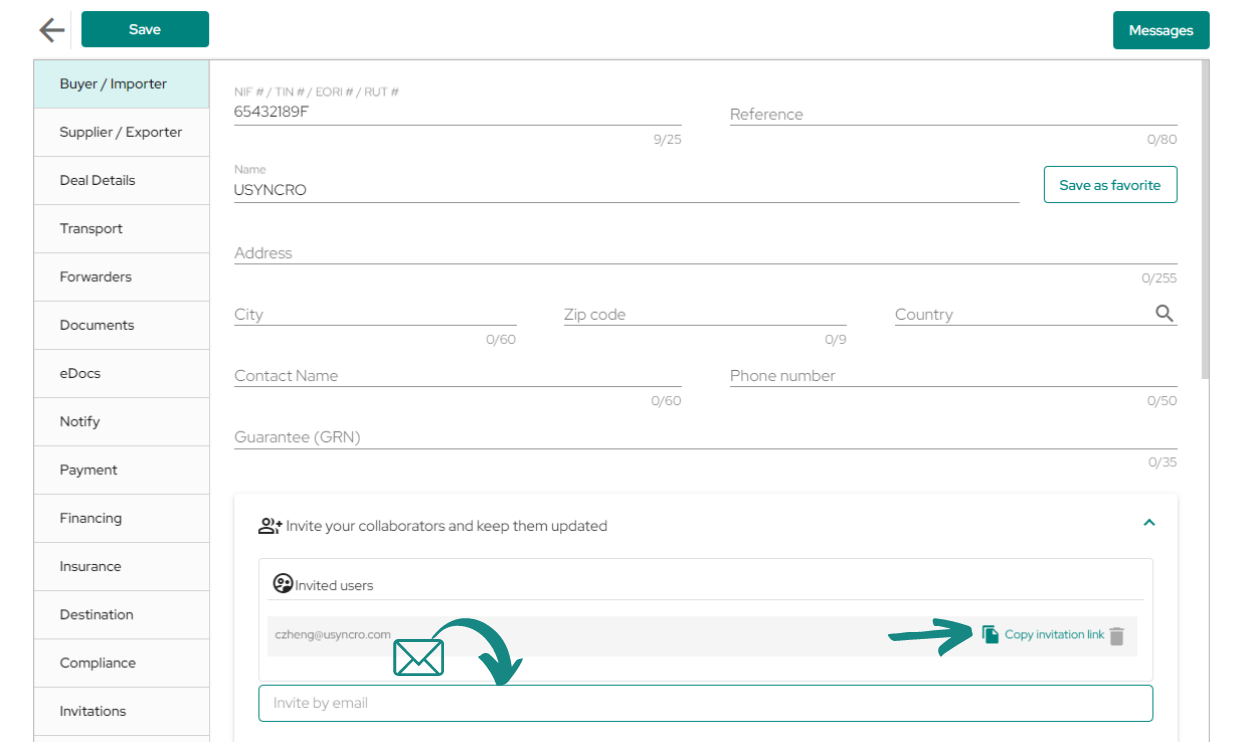
When you save the record the invitation will be sent and you will see in the dropdown, next to the email of the invited participant, a link which can be copied by clicking on it and will work in the same way as an invitation email.
In case your collaborator does not receive the invitation email or cannot access the record for some reason, you can copy the link and send it manually so the guest can access the record this way.
First we will show the case of inviting a collaborator already registered in the platform.
After entering the email and saving the file, the guest will receive an email like the one shown in the following image, which will allow the guest to access the record by just clicking on the link called ¨Check shipping¨.
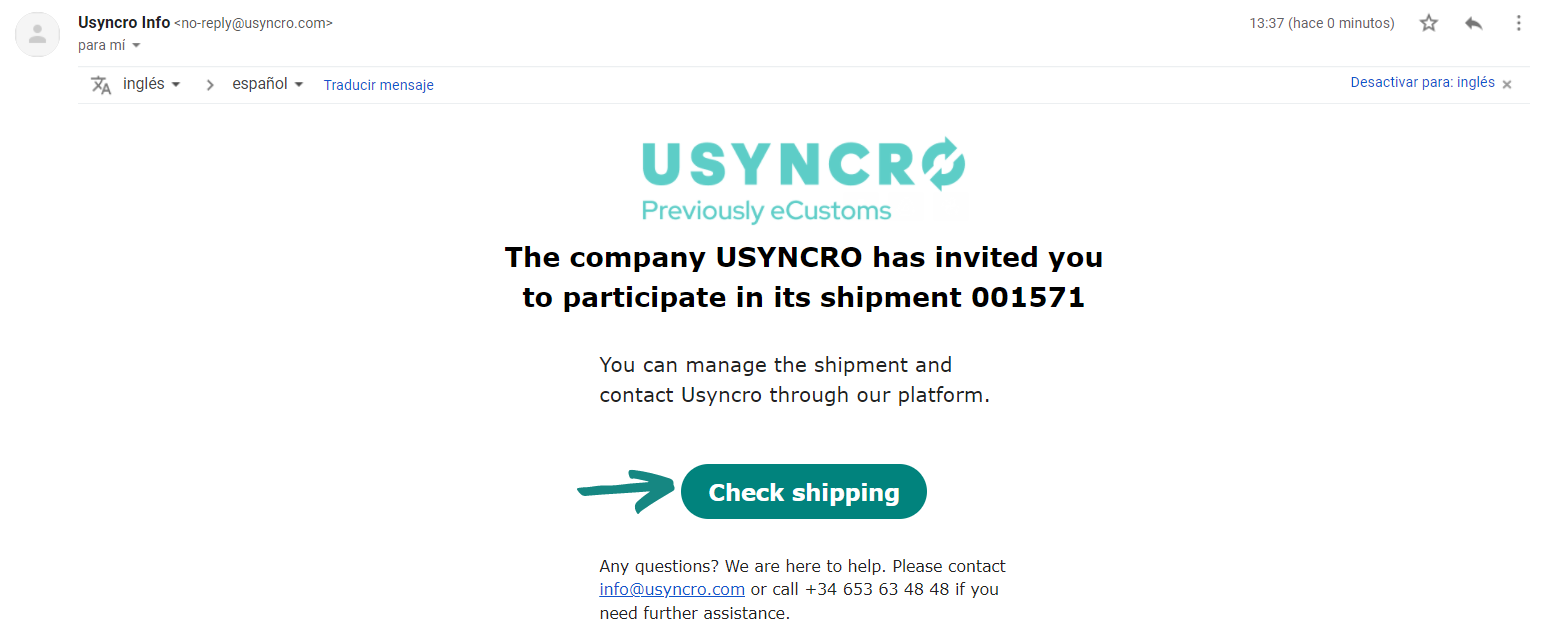
Once the invitee clicks on «Check shipping», he/she will be redirected to the record which was invited too. From now on the invitee will be able to work according to the role allocated.
To invite a collaborator who is not registered, the proceeding will be carried out in the same way as before, by entering the collaborator’s email address and saving the file. Once this is done, an email with the invitation link will be automatically sent to the email address provided.
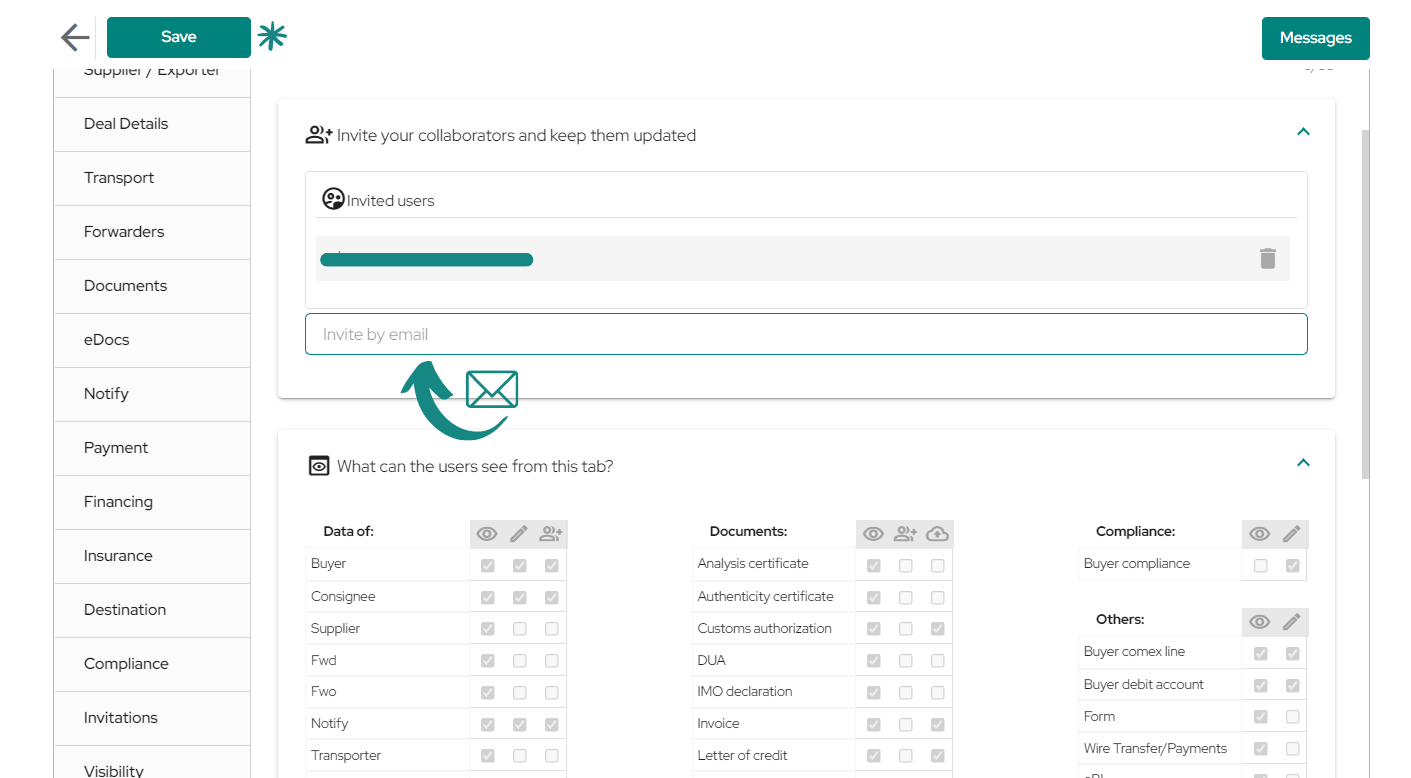
When the invited user receives the invitation email, he/she must click on «Check Shipping» to be able to start working on the record with the designated role.
When clicking on «Check Shipping«, a welcome window to the platform will be displayed where you will have to accept the terms and conditions.
Note: if the user is already registered on the platform, he/she will be taken to the record or to log in without the following notification appearing on the screen.
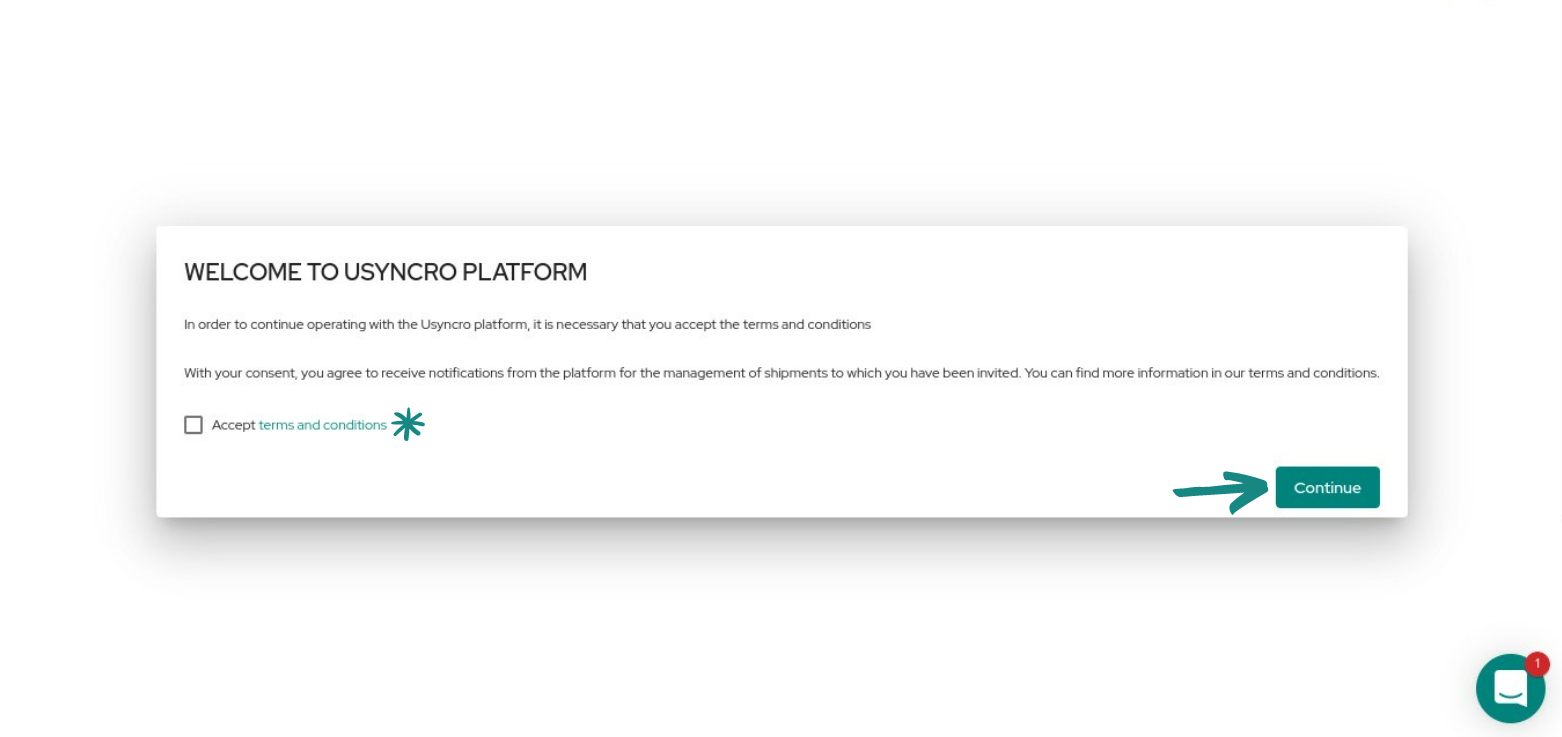
After accepting the terms and conditions, the collaborator will be redirected to the record to which was invited and will have access to view and edit the data according to the permissions enabled for the role.
Note: the invited collaborator, not being a member of the company, will not have access to the record visibility permissions.
In the penultimate tab of the file called «Invitations«, you also will find a series of possible guests, where through the drop-down menus you can include the email of the collaborator to invite him/her. This works in the same way as the previous invitations, but in this case, they are dedicated to managers, authorities, partners or external services, who may be interested in the record. Their permissions can be edited in the last visible tab.
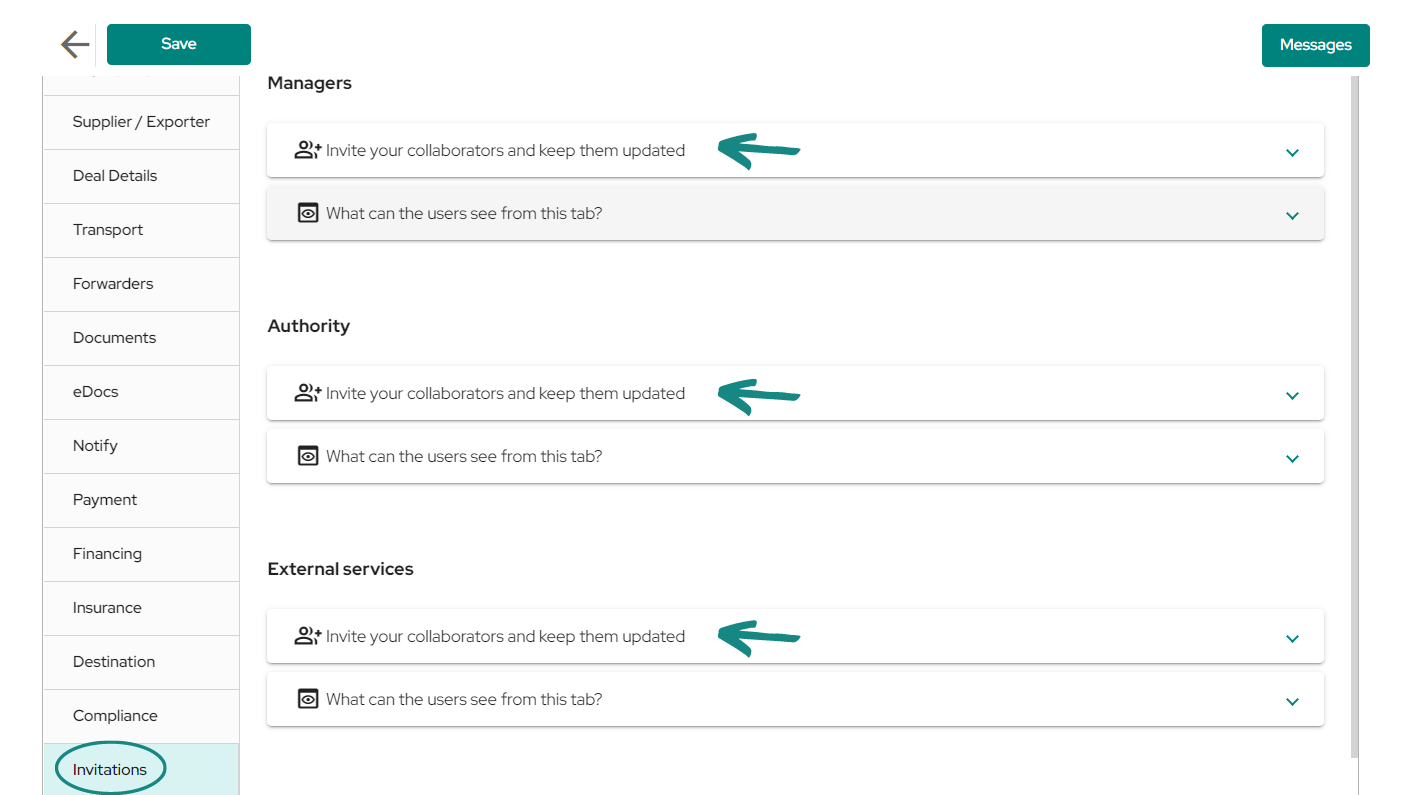
Note: remember that guests will be able to view the fields according to the latest version of the visibility permissions that have been set.


