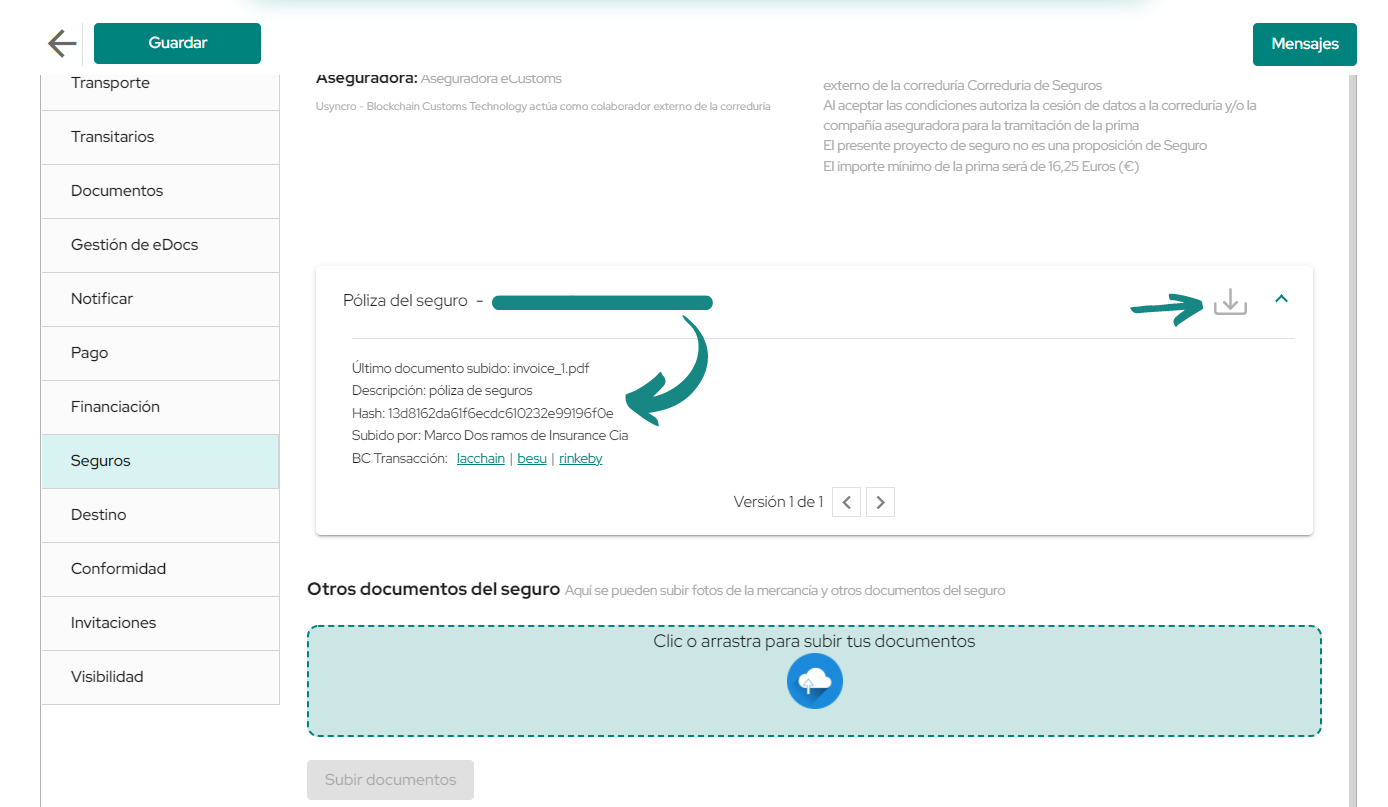
In the «Insurance» tab, you will be able to request an insurance project.
Once you enter this tab, you will see a series of instructions (see image below) which you must follow if you want to receive an insurance project, as you can see it will be necessary to confirm that some data of the company is correct, and also fill in some mandatory fields in the «Details» and «Transport» tabs to start this process.
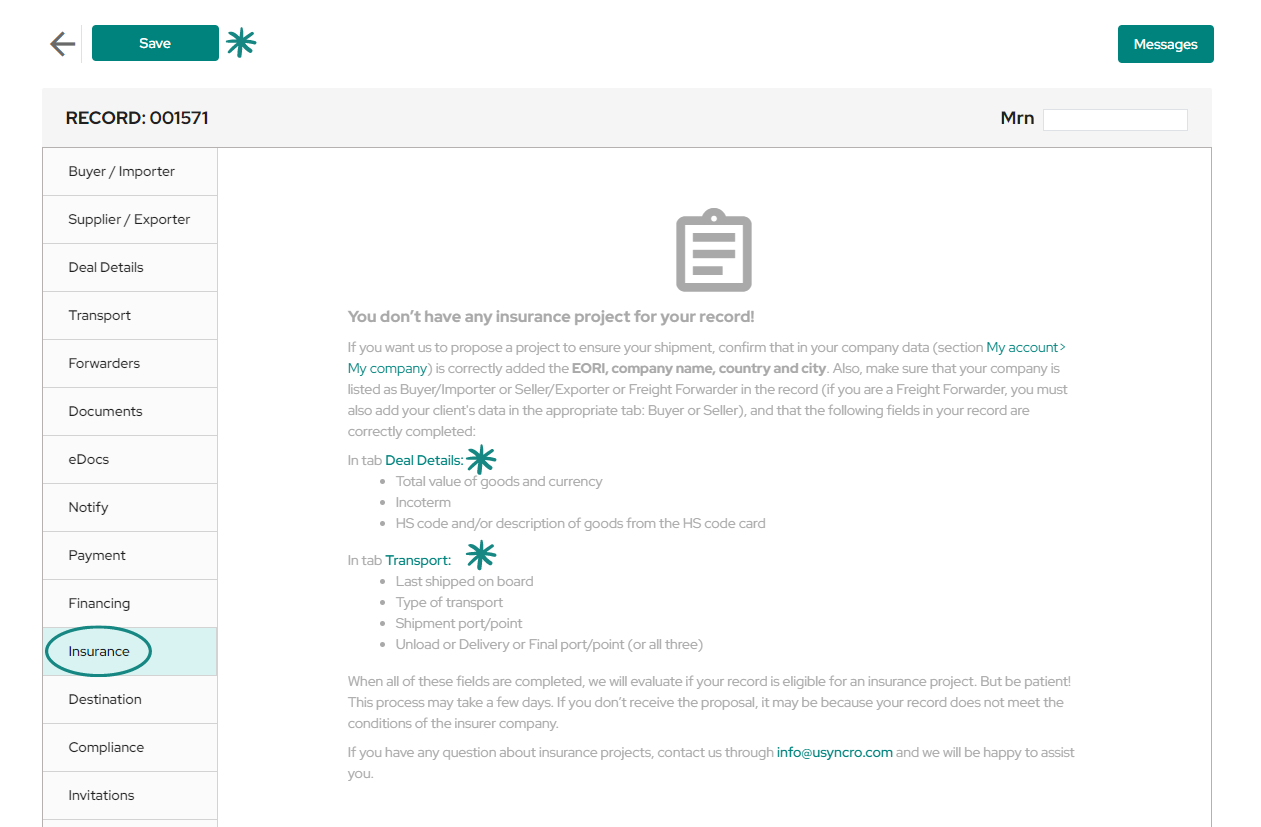
Once you have followed the above instructions and completed the required fields to enable the project, proceed to save the record.
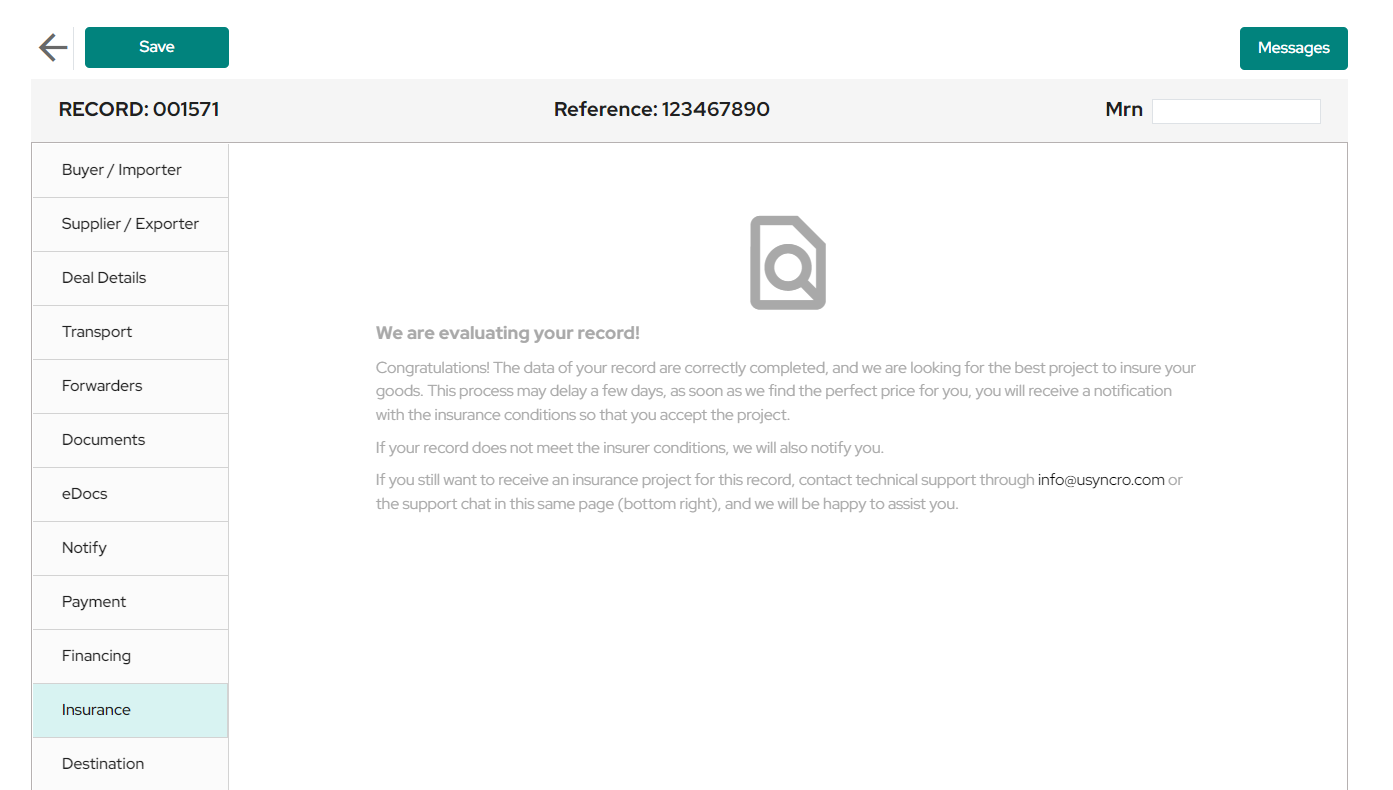
Subsequently, in the same «Insurance» tab, you will see a text informing that your project is being reviewed according to the data provided in the record, once the assessment is completed you will receive a notification with the insurance project that you have been offered.
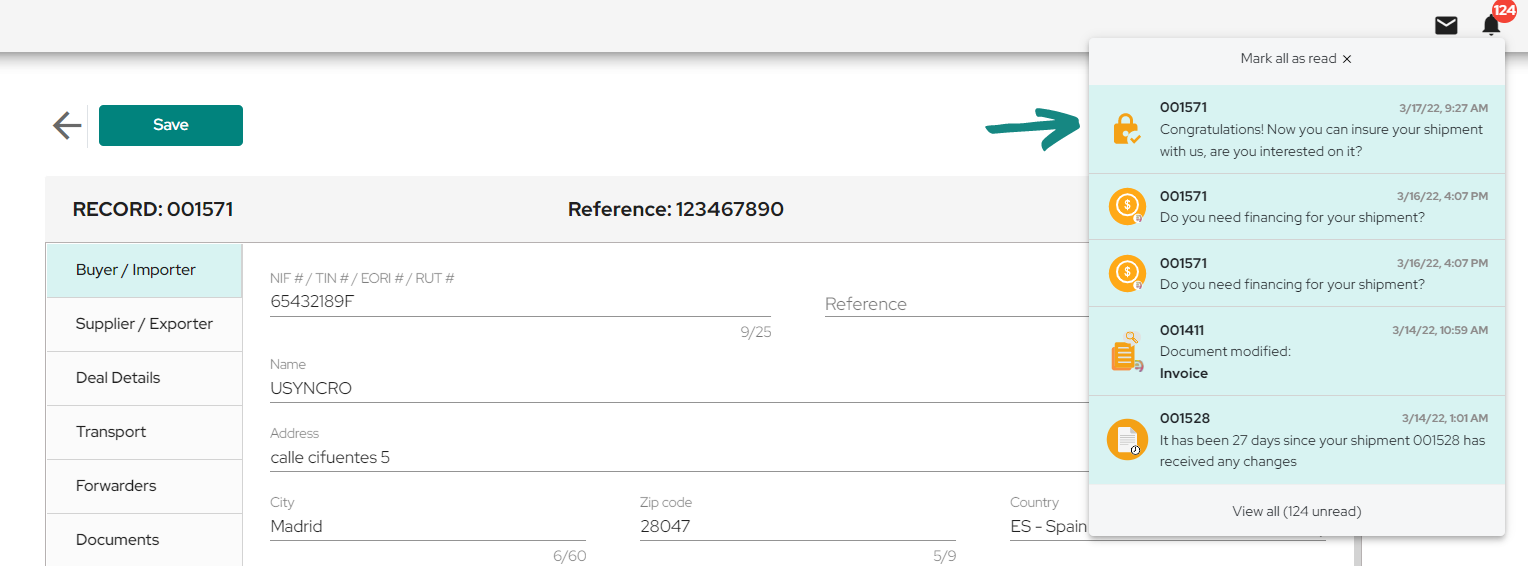
As mentioned before, after the record has been assessed you will receive a notification on the platform informing you that it is possible to manage your insurance from USYNCRO.
You can access the notifications by clicking on the bell at the top right, when you do so a window will open with all the notifications received to date, among them you will find the notification which offers to start the insurance project.
By clicking on the notification, you will be redirected to the «Insurance» tab to view the update of your project.
Once in there, you will see general information about the offered project, where you will find data such as: price, percentage insured, insurance company, etc.
Be sure to read the blue box of «Notices» to confirm that the insurance offer is compatible with your company. To continue with the process you must accept the conditions of the project, and sign the «Declaration responsible for this shipment«, both fields are completed by checking the box to their left.
Before accepting the insurance conditions, confirm that you agree with them by reading them beforehand in the «Summary of conditions» section. You will autorice USYNCRO to share your data with the insurance company.
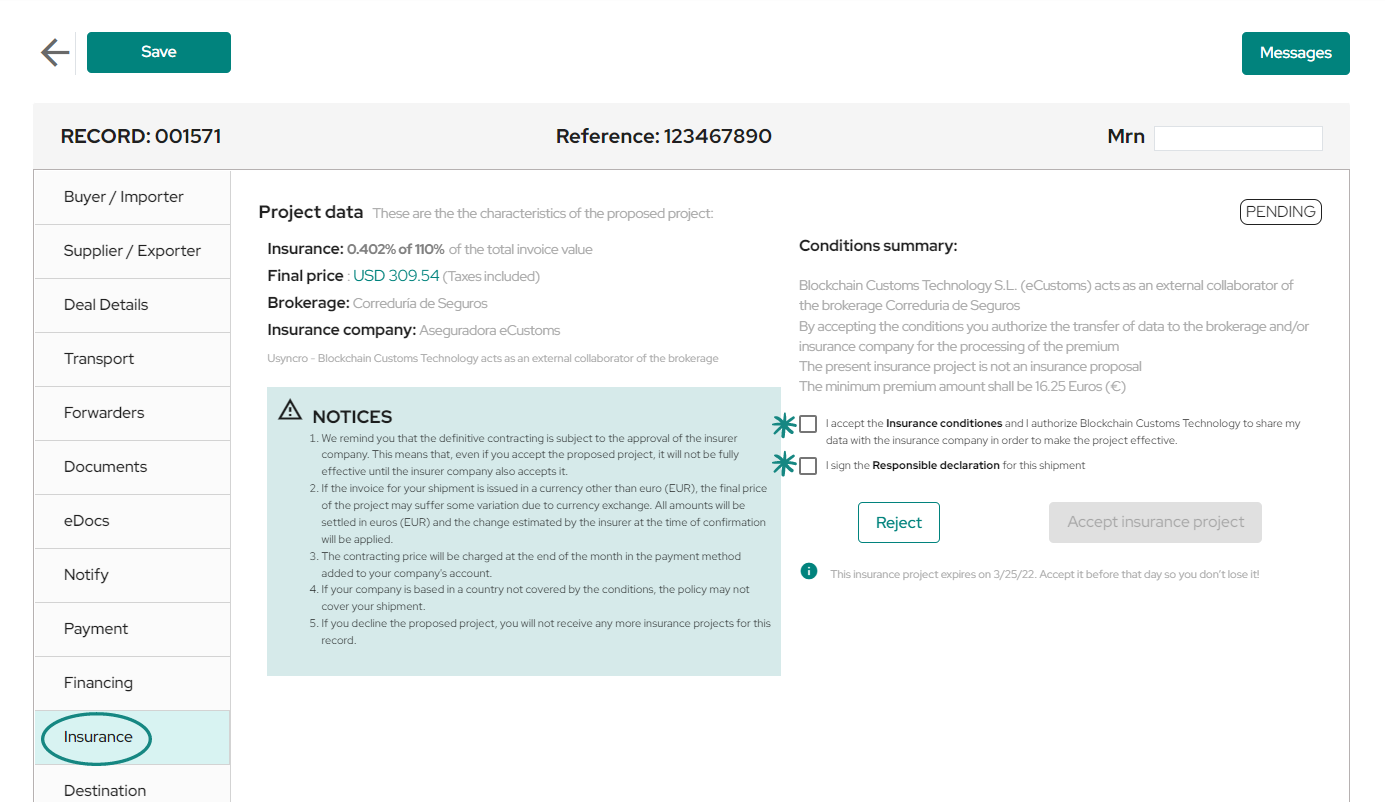
By selecting the 2 boxes mentioned above, the «Accept Project» button will be enabled. In case the conditions and characteristics of the insurance are not compatible with your company’s needs, you will also have the option to reject the project.
At the bottom you will find the expiration date of the project, in order not to lose it, you will have to accept it before the indicated date.
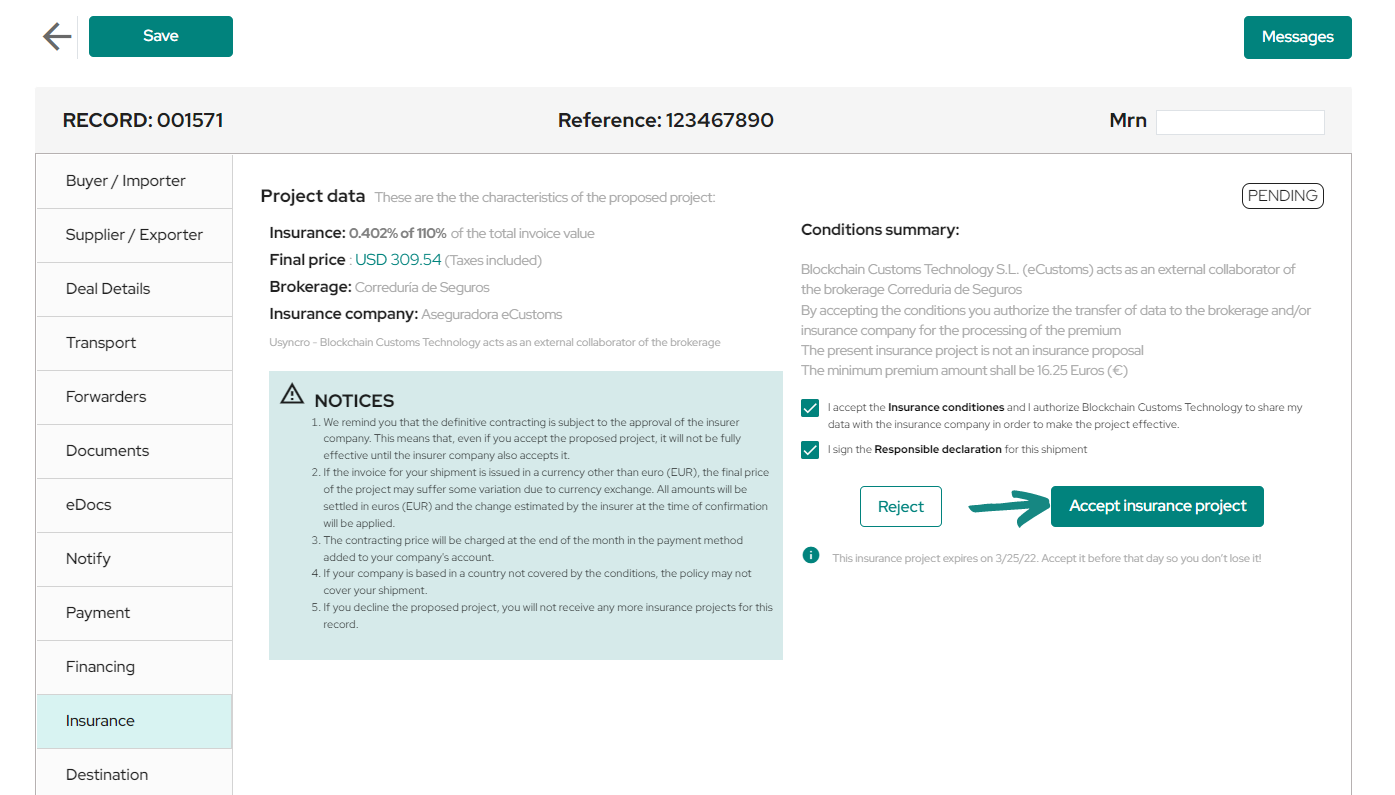
Once the insurance project has been accepted, you will see the same window with all its features, with the addition of a note at the top indicating that you are waiting for a response from the insurance provider.
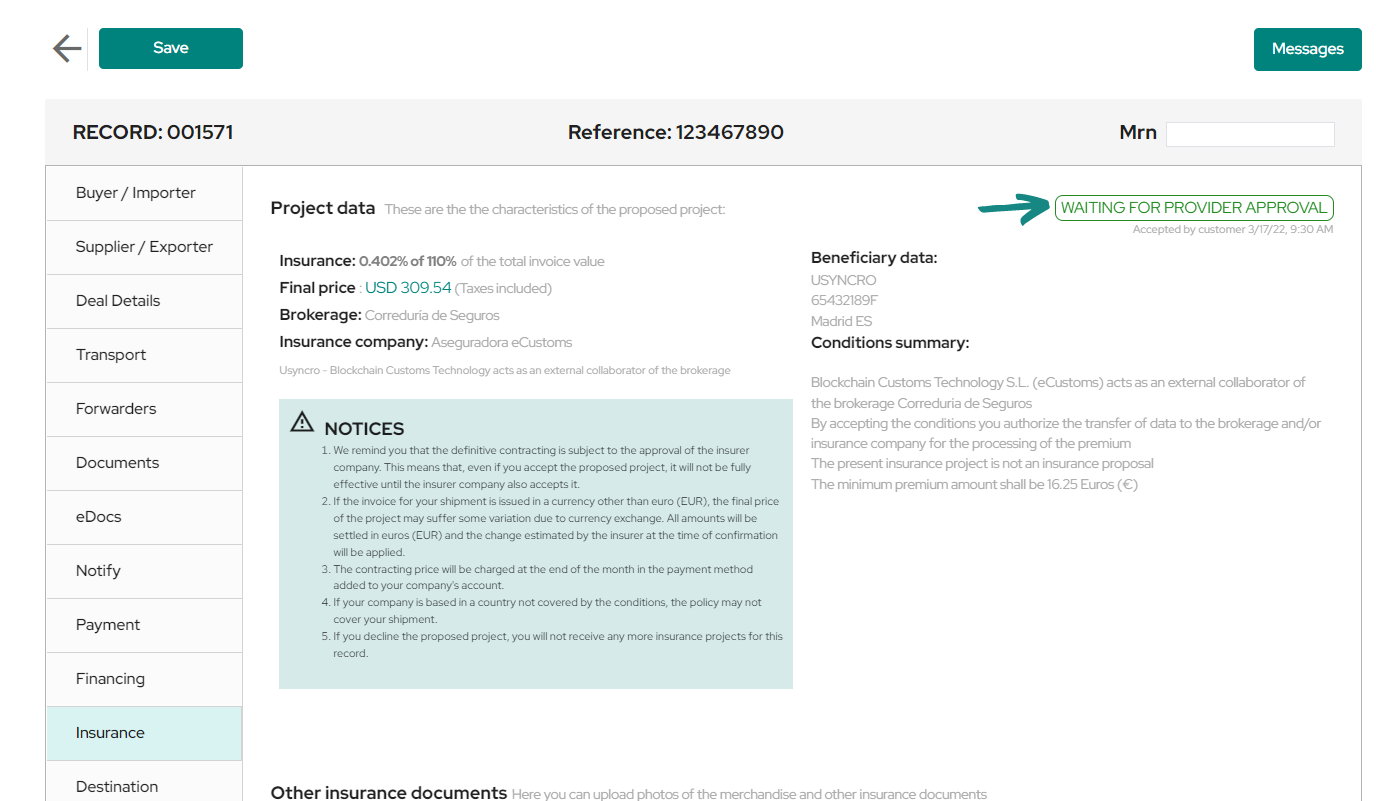
At the bottom, there is a section which allows you to upload «Other insurance documents» if necessary. You can browse your device and upload these documents, be sure to click on «Upload documents» for a successful upload to the platform.
After the insurance provider has reviewed the requested project and has validated it, in the insurance tab you will see how the green note at the top has changed to «Accepted by the provider«. You will also see at the bottom the insurance policy that the provider has uploaded to the platform, you will have full access to corroborate it.
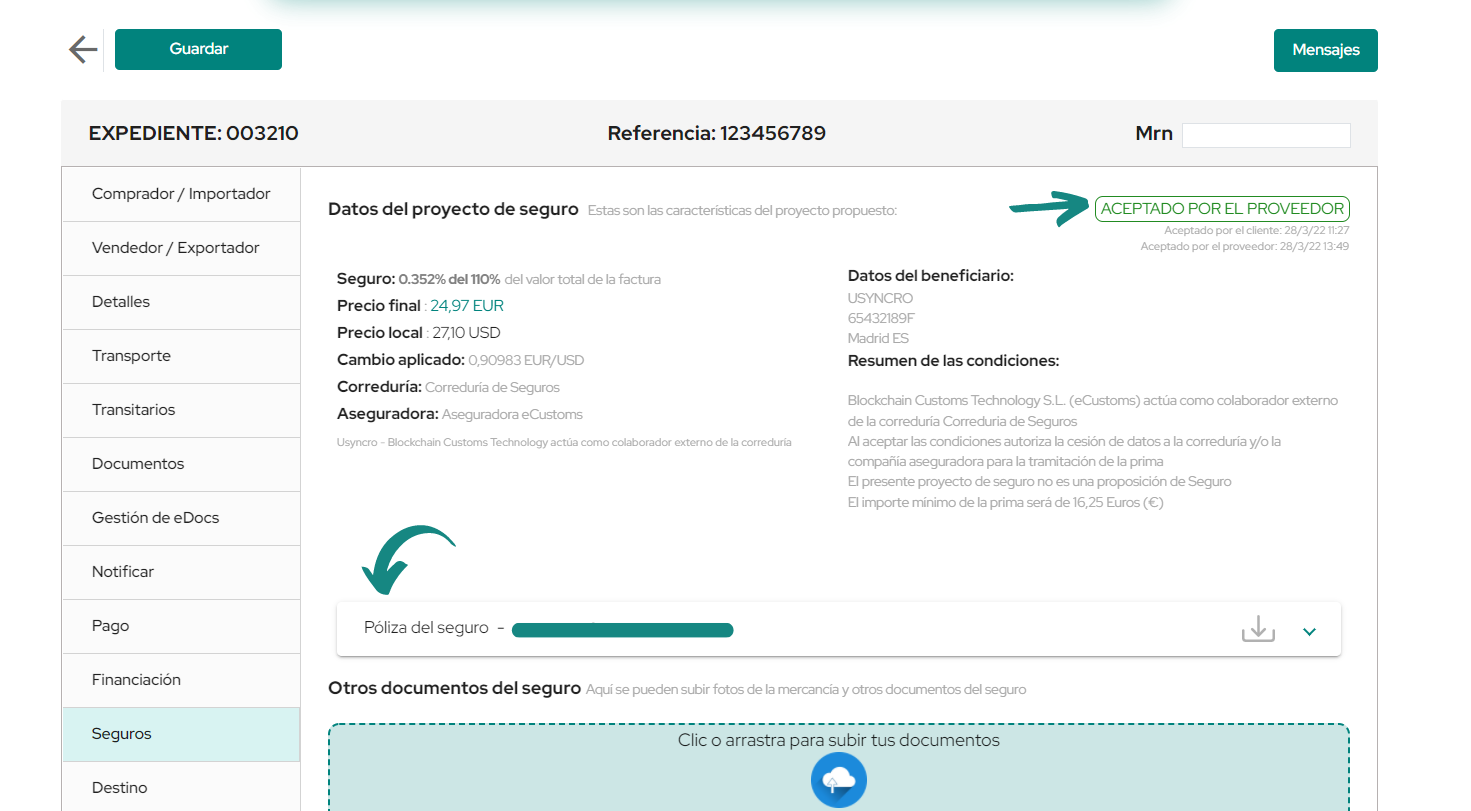
By clicking on the tab containing the insurance policy you will be able to view the different data of the document, and to the right of the same tab you will find the download button which will allow you to view the policy when it is downloaded.